Tasket has launched
Experience the future of document automation
Automate Your Documents.DocumentsInvoicesReceiptsContractsPurchase OrdersStatementsPoliciesForms
Process invoices, receipts, and documents automatically. Extract data, classify tasks, and get instant answers from your company knowledge base—all powered by advanced AI.
Intelligent Data Extraction
Extract invoice numbers, dates, amounts, and vendor details automatically. Turn messy documents into structured, searchable data.
Semantic Search
Search documents using plain English queries. Find information without knowing exact keywords—AI understands context and meaning.
Company AI Assistant
Ask questions about invoices, vendors, payments, or any document. Get instant answers with source citations from your knowledge base.
Smart Task Automation
Documents become tasks automatically—no manual entry needed. Intelligent priority and status assignment with confidence scoring.
Real-Time Processing
See processing status in real-time. Get notified when documents are ready. From upload to insights in minutes, not days.
Power. Speed. Control.
Everything you need to automate your documents and streamline productivity.
AI Document Processing
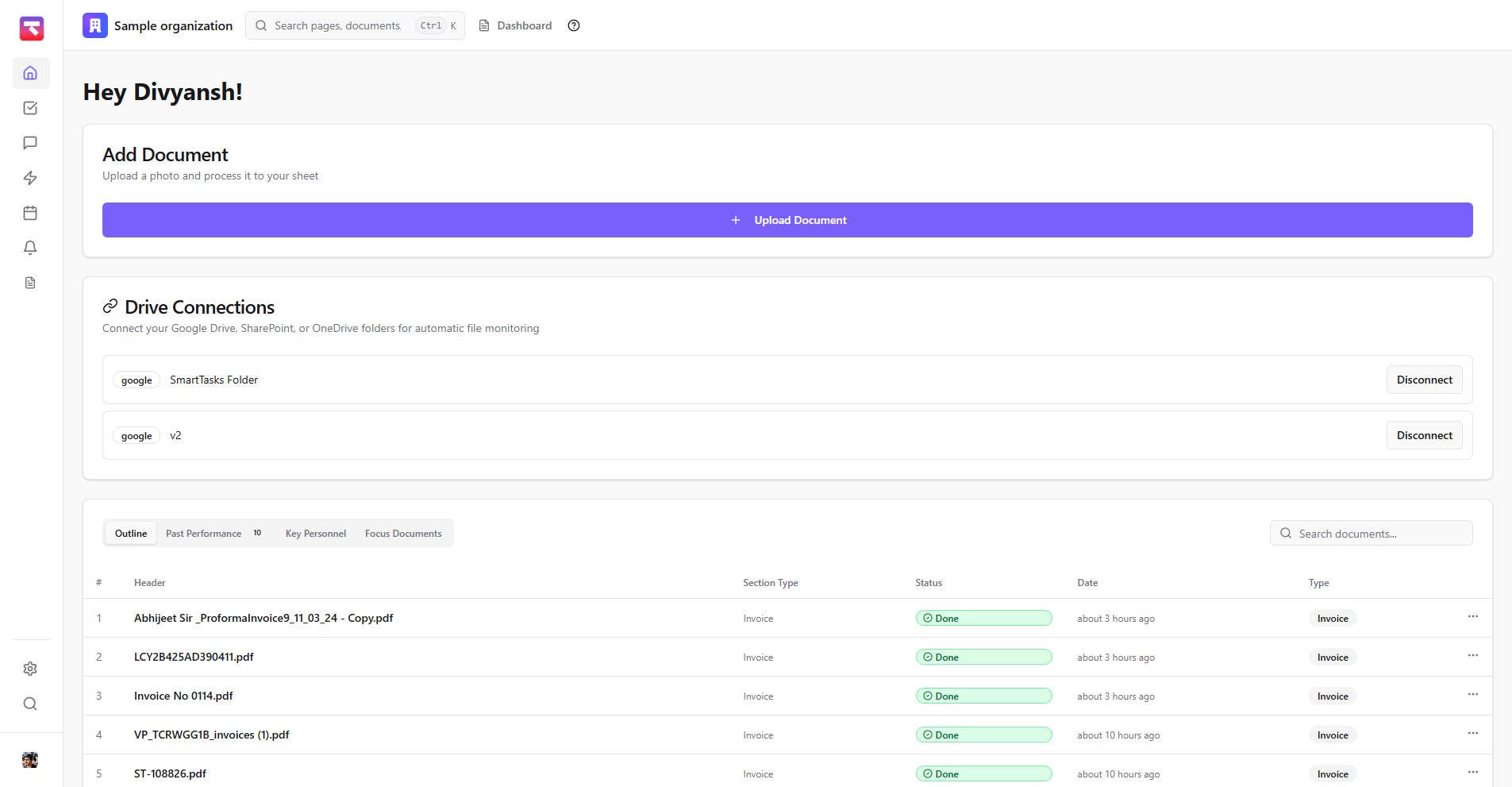
Upload any document and watch AI extract key information instantly. Support for PDFs, images, Word, and Excel files.
Semantic Search
Ask "Find invoices with vendor X, total > 1000" and get instant results. Search your documents like you're talking to a colleague.
Company AI Assistant
Ask Company AI anything about your documents and get instant, cited answers. Your intelligent assistant that knows everything about your business.
Smart Task Automation
Documents become tasks automatically—no manual entry needed. Smart classification that learns your workflow patterns.
Cloud Drive Integration
Connect your Google Drive, SharePoint, or OneDrive. Files automatically become processed documents—no manual uploads needed.
Team Collaboration
Share insights, not just files. Keep your team in the loop automatically with real-time collaboration features.